
3D Comparison
Visualize added, removed, and shared geometry in distinguished colors.

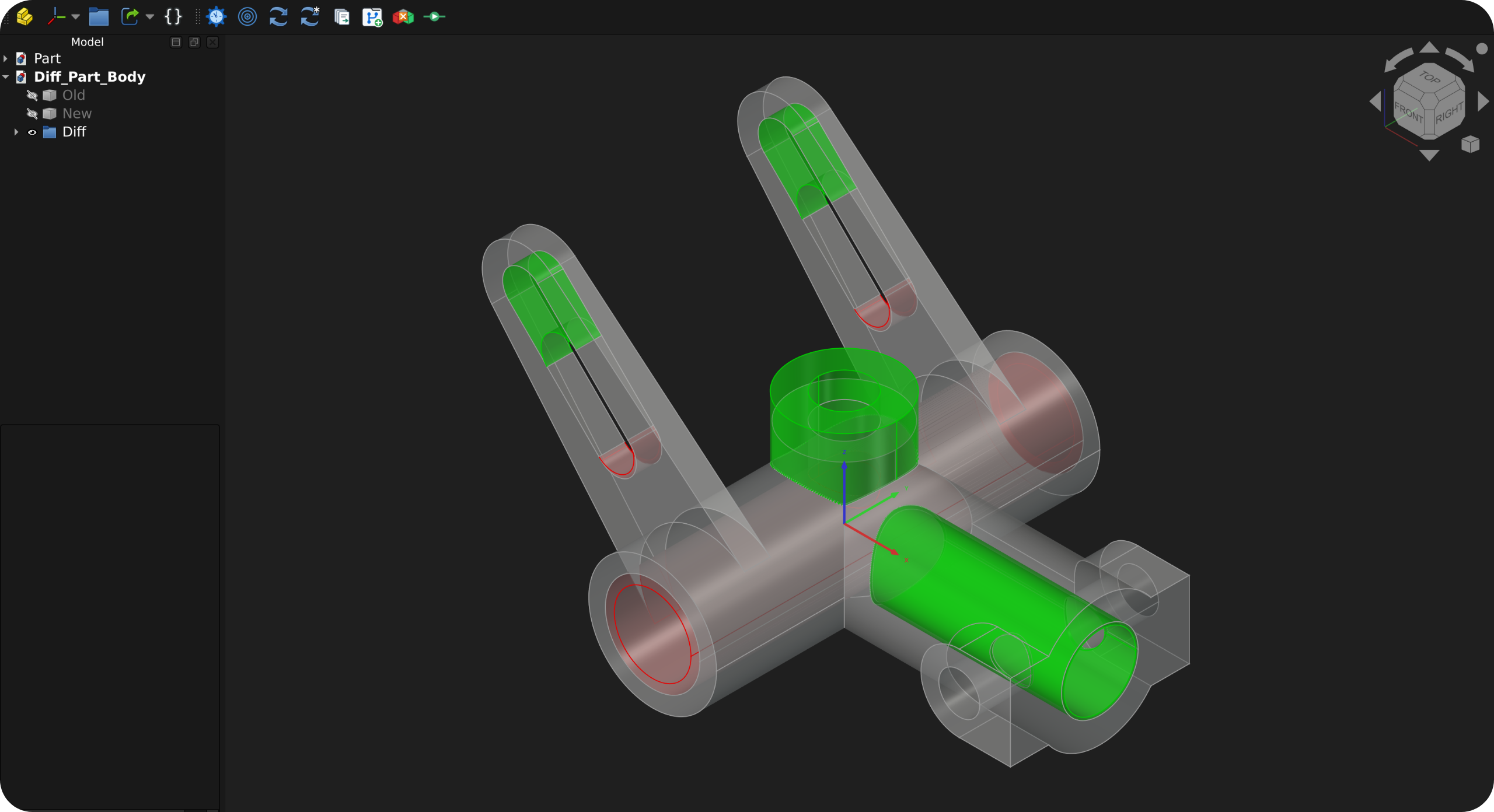
3D Comparison: Visualize added, removed, and shared geometry in separate colors.
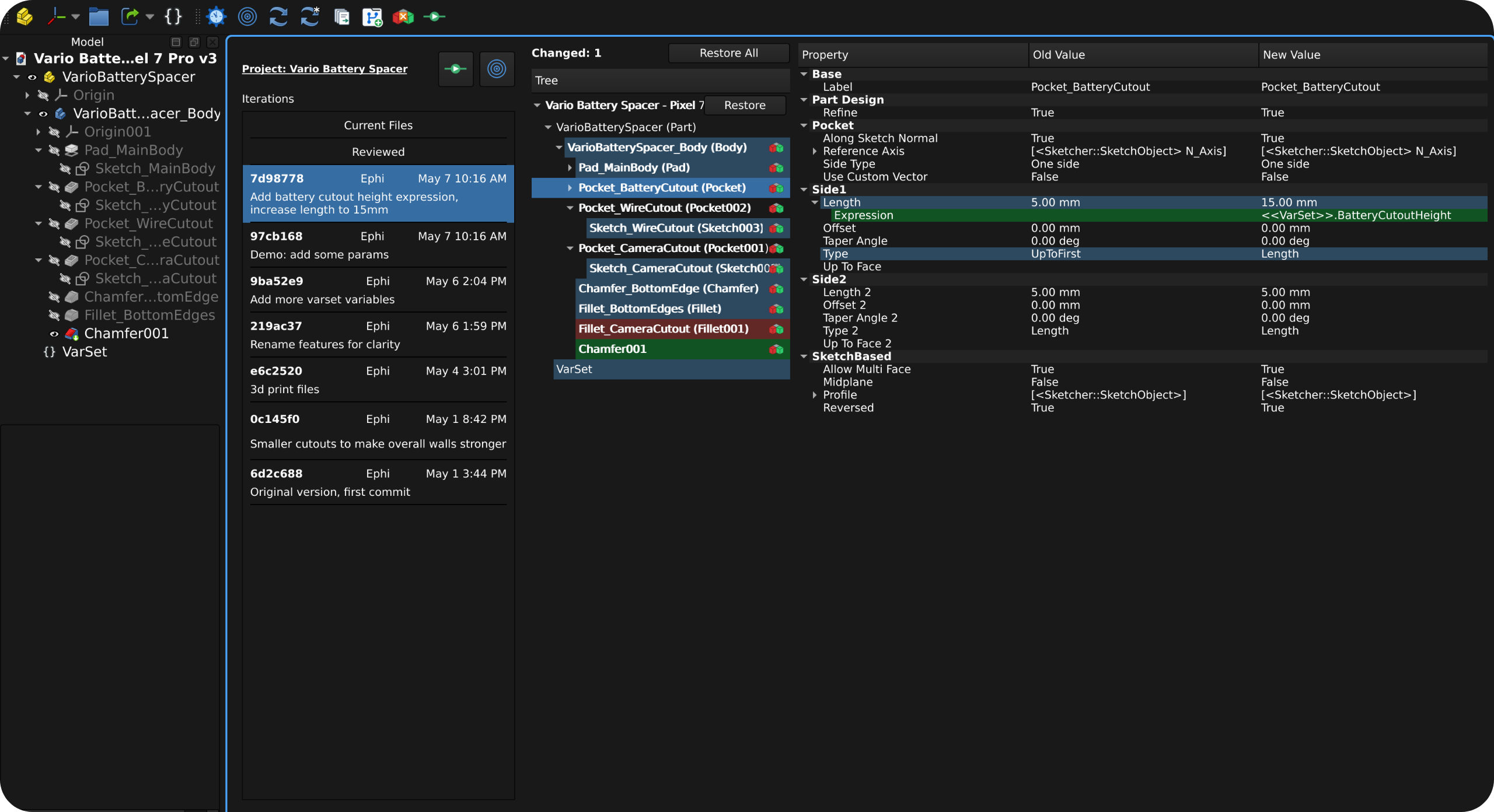
Tree Comparison: See object and property changes in the model tree hierarchy.
3D Comparison
Visualize added, removed, and shared geometry in distinguished colors.
Tree Comparison
Catch unintended side-effects before manufacturing. Every property change surfaced.
Review Workflow
Review changes incrementally, mark documents as reviewed, and save the result as a new iteration when ready.
Multi-Document Support
Review and iterate on multiple related documents at once, such as assemblies spread across several .FCStd files.
Safe Restore
Restore individual files or batches from any saved iteration back onto disk without rewriting project history.
Install
Get History Workbench running in your FreeCAD installation.