
Configuration
FreeCAD’s Preferences dialog includes a History panel.
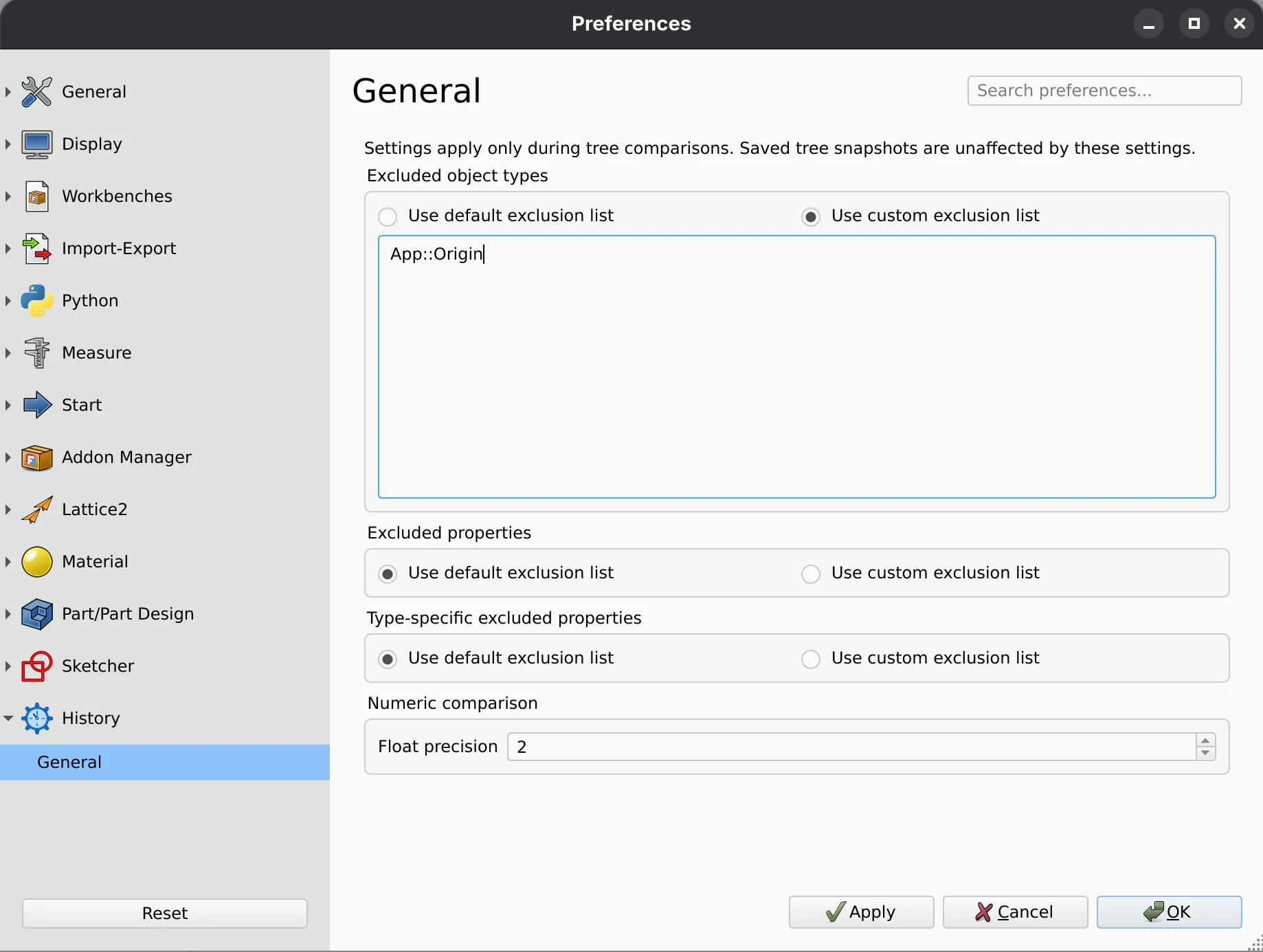
Exclusion Lists
Section titled “Exclusion Lists”Exclusion lists hide noisy generated data from tree comparison views.
Each exclusion list supports two modes:
- Use default exclusion list: Use History Workbench’s built-in defaults.
- Use custom exclusion list: Provide your own exclusions.
Default values are defined in freecad/history_wb/domain/config.py.
Excluded Object Types
Section titled “Excluded Object Types”Enter one FreeCAD TypeId per line, such as App::Origin. Objects of these types and their children are removed from comparison views. You can see an object’s type by hovering your mouse over it in the History’s tree panel.
Excluded Properties
Section titled “Excluded Properties”Enter one property name per line, such as TimeStamp. These properties are excluded across all object types.
Type-Specific Excluded Properties
Section titled “Type-Specific Excluded Properties”Enter one mapping per line in the format TypeId -> PropertyName. This excludes one property for one object type while keeping it visible elsewhere.
TechDraw::DrawSVGTemplate -> PageResultNumeric Comparison
Section titled “Numeric Comparison”Float Precision
Section titled “Float Precision”Set the number of decimal places used for floating-point comparison and display. The supported range is 0 to 12; the default is 2.